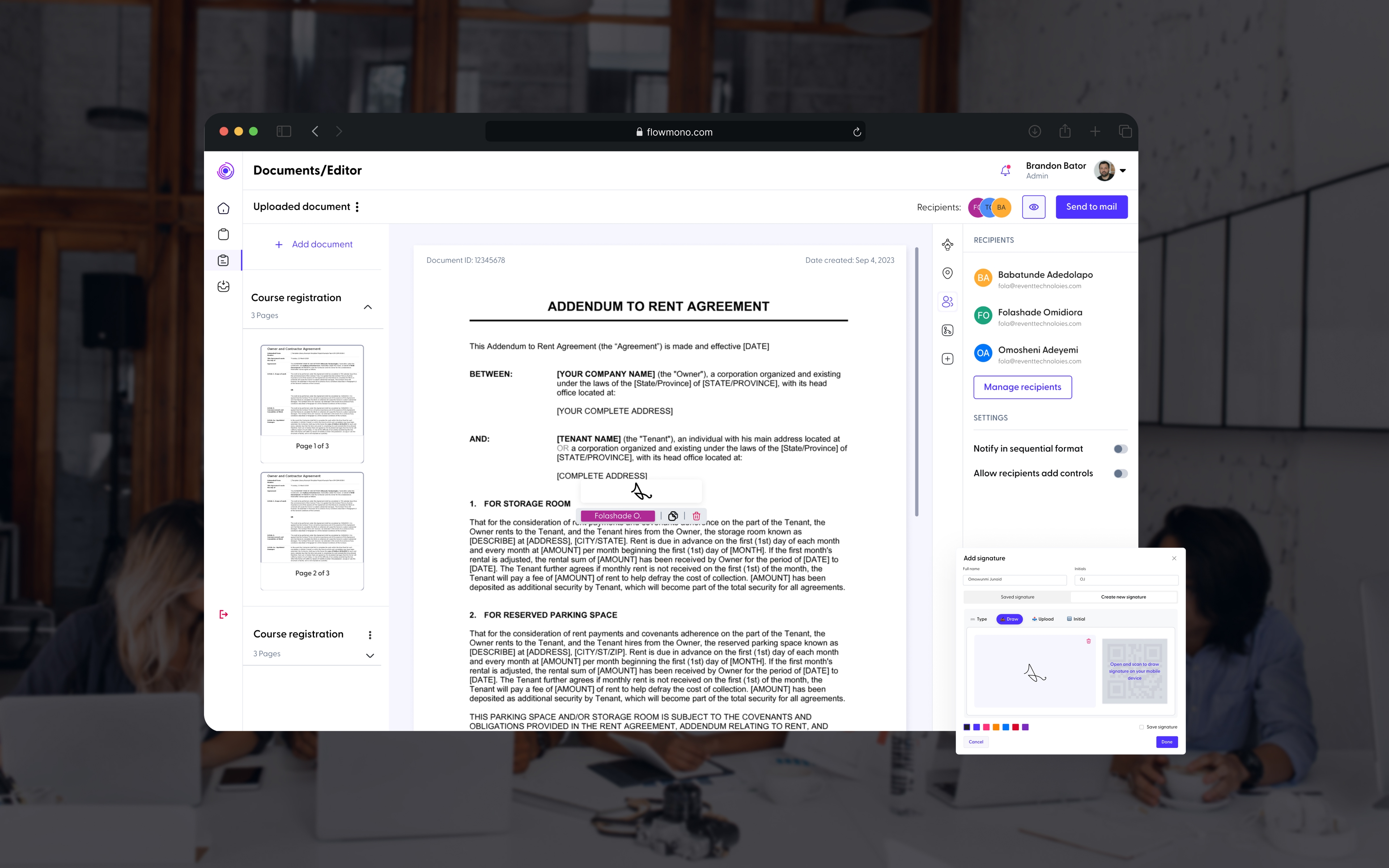
Convil
Making construction operations easier to coordinate.
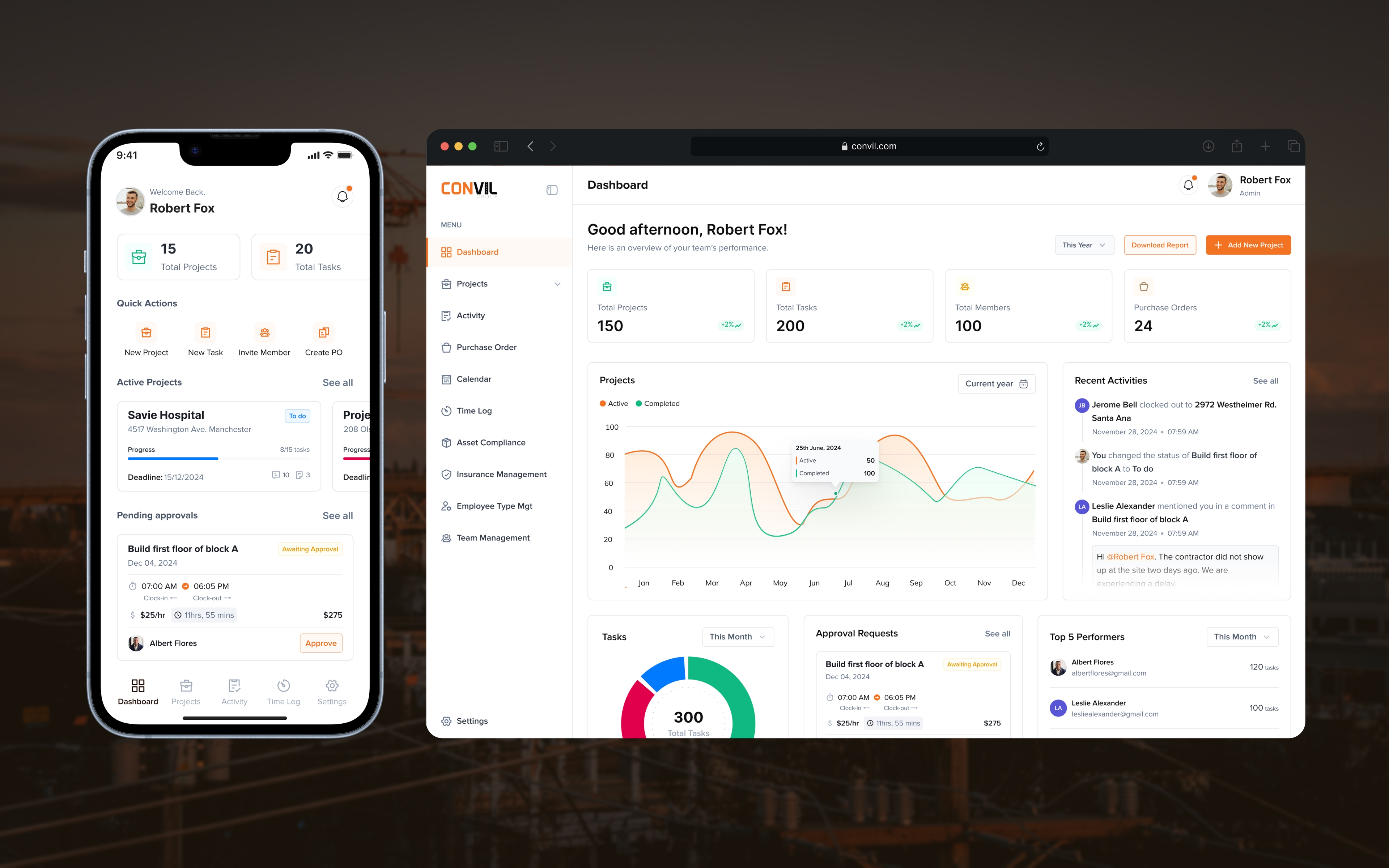
Convil is a web and mobile construction operations platform designed to connect the people planning a project with the people carrying out the work.
I worked on the product as the Lead Product Designer across the web and mobile experience. The product brings workforce planning, project setup, task coordination, compliance information and project records into one connected system.
The main challenge was not simply organising features. Construction work moves through different people, in different environments, with different responsibilities. An office administrator may be thinking about staffing and project requirements, a site supervisor is thinking about today's work, and a worker only needs to understand the task in front of them.
The design therefore focused on making those responsibilities clear while keeping the underlying project information connected.
Convil is currently live as an internal tool, so it is not publicly accessible. The design supports a live internal workflow that connects office planning with site execution across web and mobile, while keeping each role focused on the work that matters to them.
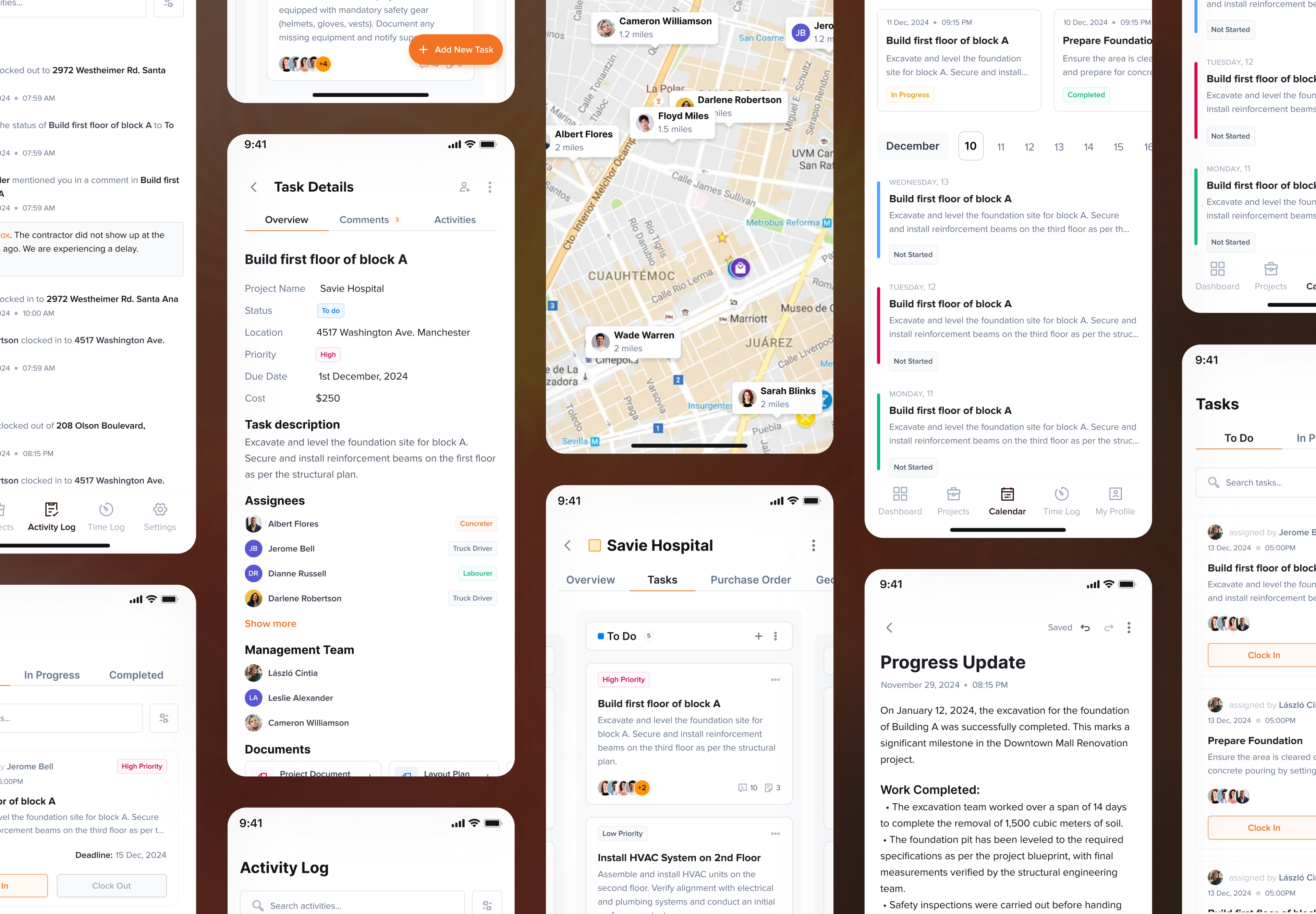
One construction project can create several different jobs to coordinate.
A project can require people to be allocated, tasks to be assigned, equipment and insurance to stay current, costs to be recorded and progress to be documented.
Those responsibilities do not sit with one person. If the product treated them as one generic workflow, every user would end up carrying information they did not need.
That made role clarity the starting point for the product. The system had to support the same project from multiple perspectives without losing the relationship between them.
“We want to be able to manage what is happening on site without constantly chasing people for updates or moving between different tools just to understand where the project stands.”
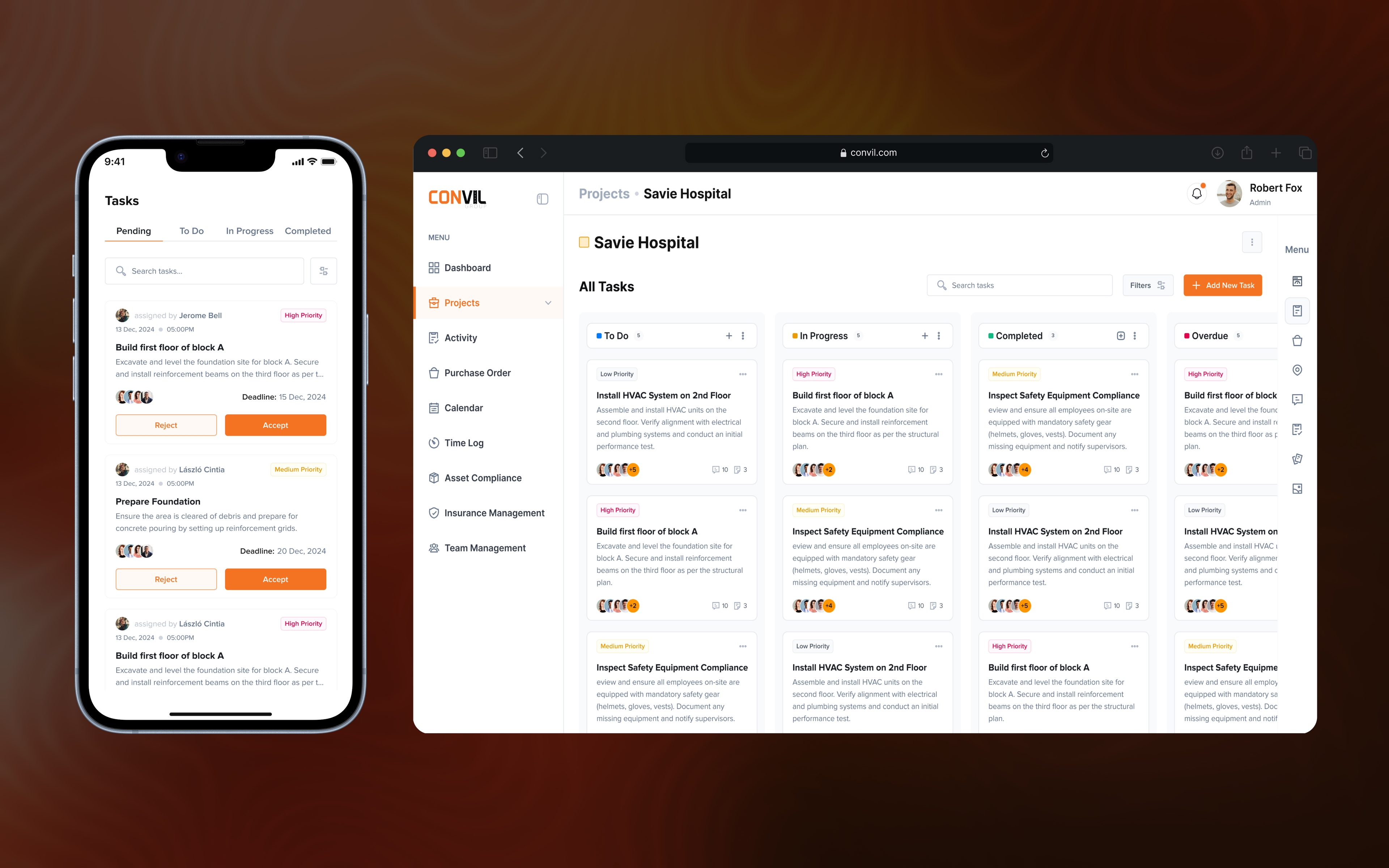
The same project looks different depending on who is using the product.
Office administrator
Plans projects, defines workforce requirements, allocates people and keeps operational information up to date.
Site supervisor
Coordinates the people available on site, assigns work and follows progress.
Worker
Receives assigned work, reviews the task details and records when work starts and ends.
The important distinction was that a role is not the same thing as a task. A project may need two excavator operators, but deciding that John should operate the excavator today happens later, when the work is being coordinated.
Planning decides who the project needs. Coordination decides what each person needs to do.
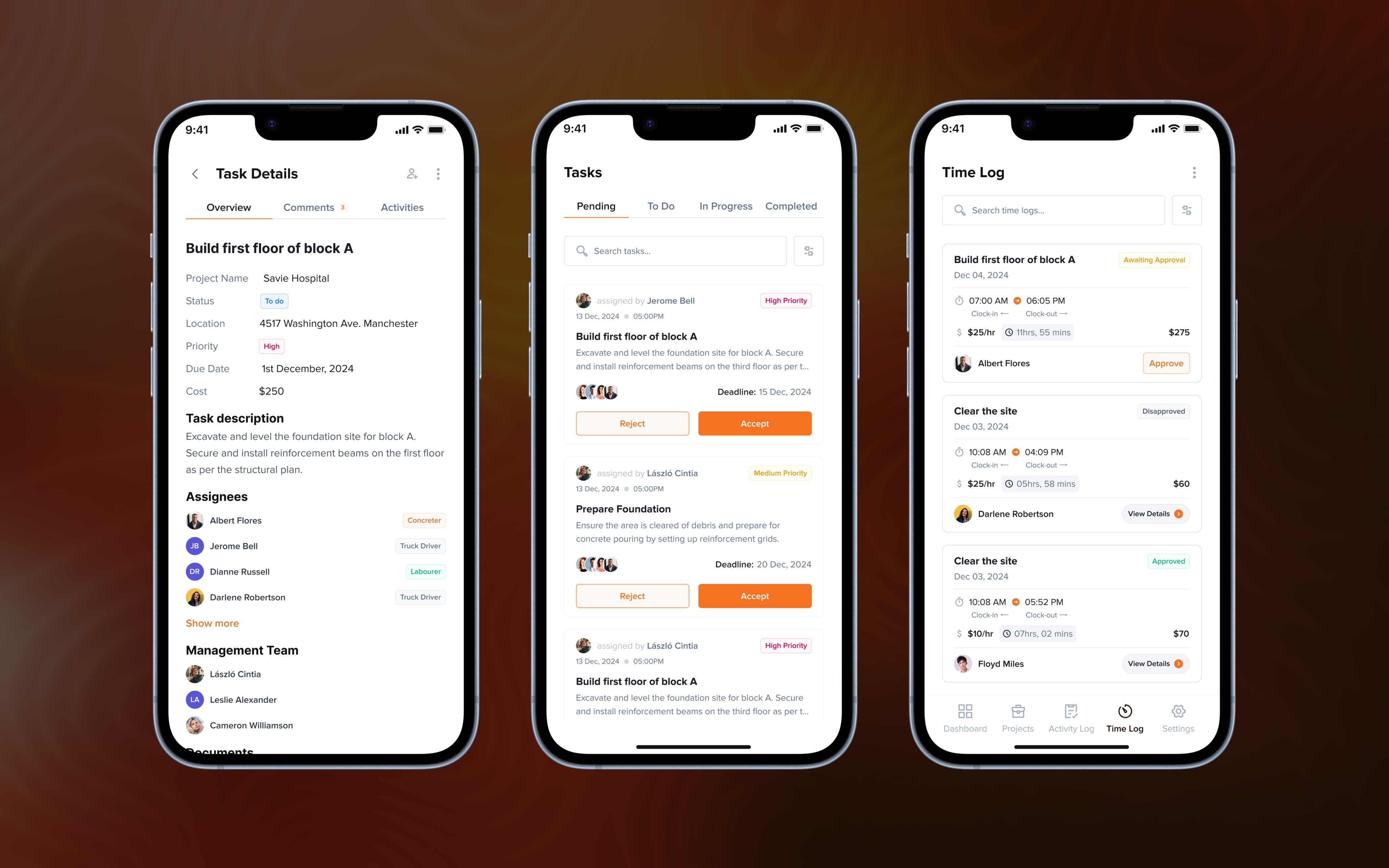
I designed the workflow before designing the individual screens.
The project became the centre of the product model.
Projects contain workforce requirements. Workers are allocated to those requirements. Supervisors then turn those allocations into actual tasks. Workers complete the work and update progress.
Supporting information stays attached to that same project, including compliance records, notes, files and cost-related records.
Mapping those relationships early gave each role a clearer place in the workflow without turning the product into a collection of disconnected dashboards.
Planning becomes useful when it can move all the way into execution.
Work begins before anyone arrives on site. The project first needs to define what has to happen, who is needed and how that work should be organised.
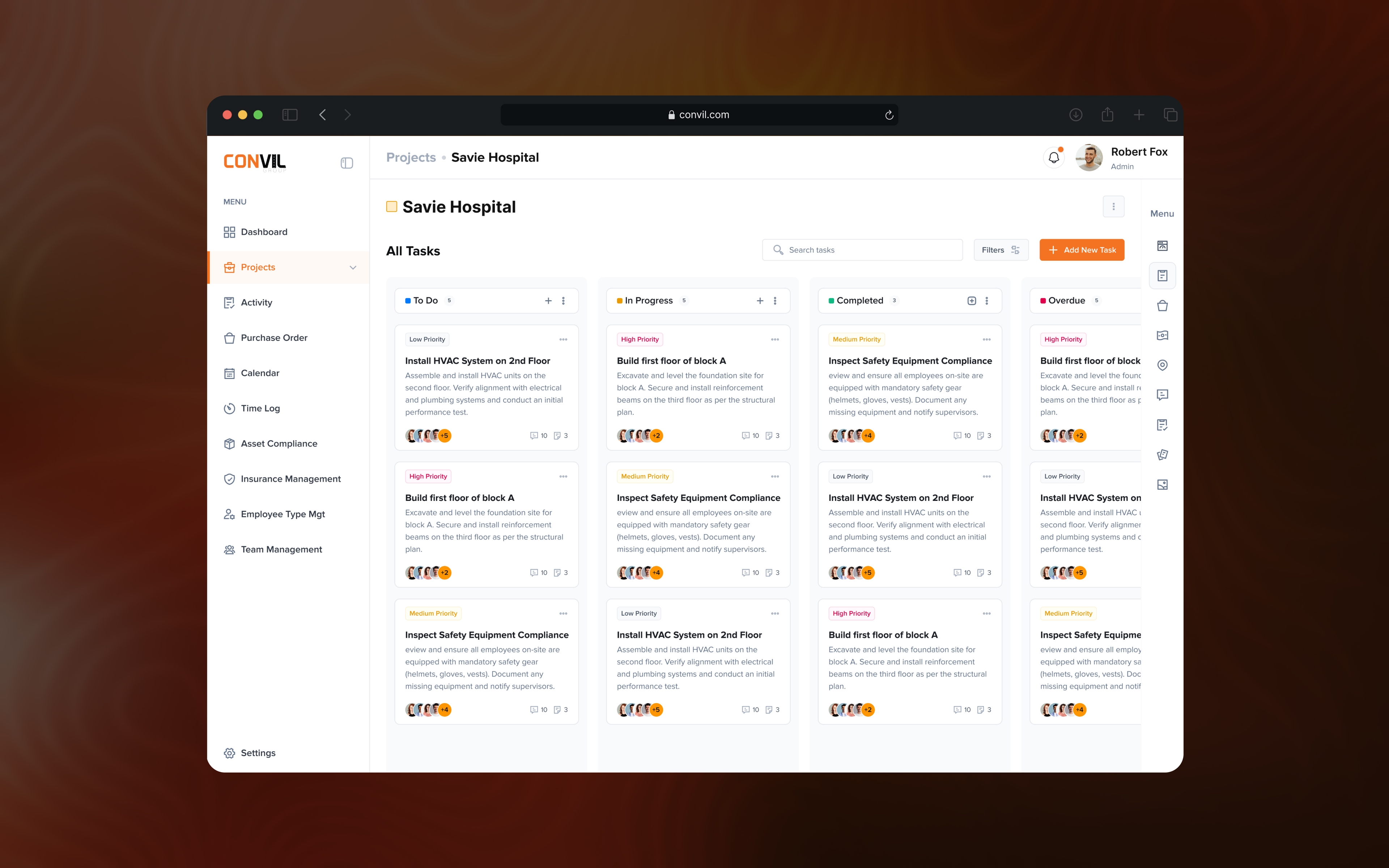
From there, tasks can be created and assigned to the people responsible for carrying them out. The supervisor then becomes the bridge between the plan and what is actually happening on site, coordinating the work, following progress and responding to activity as it happens.
For the worker, that same plan becomes something much simpler: receive the task, accept it, clock in and begin the work. When the task is finished, they clock out and their time is recorded.
That creates one connected flow from planning through execution instead of separating office decisions, site coordination and worker activity into unrelated systems.
Planning only becomes useful when it can move into execution. Convil connects the early project decisions about what work is needed and who is available with the supervisor’s day-to-day coordination and the worker’s actual activity on site.
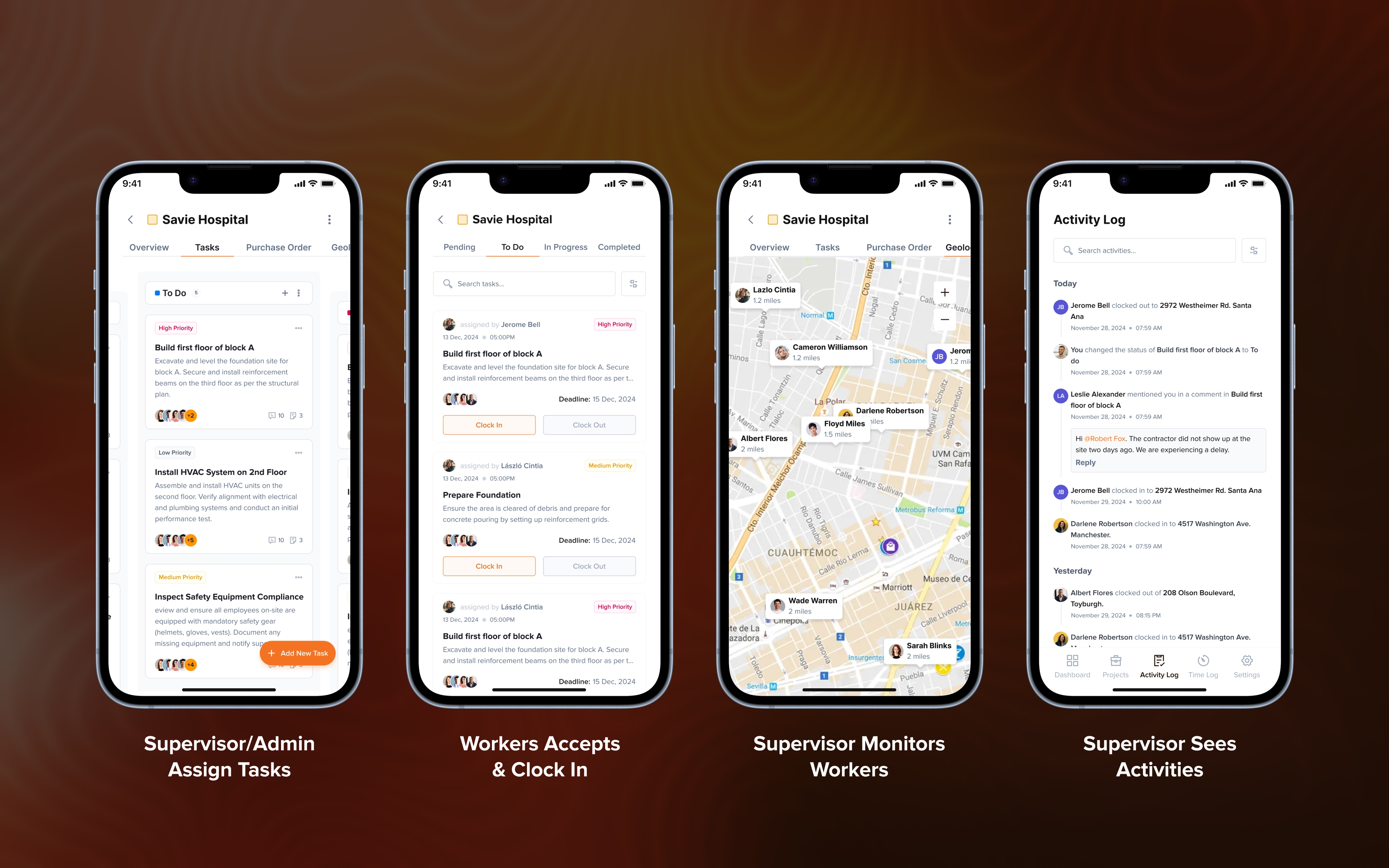
Supervisors turn the project plan into work that can actually happen on site.
The supervisor is not only watching tasks that someone else created. They also have responsibility for planning and coordinating project execution.
They can create tasks, assign those tasks to workers and decide how the available workforce should be used as the project progresses. They need visibility into what has already been planned, what still needs to happen, who is available and how current work is progressing.
That means their experience sits somewhere between the detailed administrative view and the focused worker experience. They have enough control to create and organise work, but the interface still prioritises the decisions needed to keep execution moving.
As workers accept tasks, clock in, complete work and log their time, those activities give the supervisor a clearer view of what is actually happening on site.
The supervisor sits between the project plan and the reality of the site: creating and assigning work, coordinating people, and using live activity to understand what is actually happening.
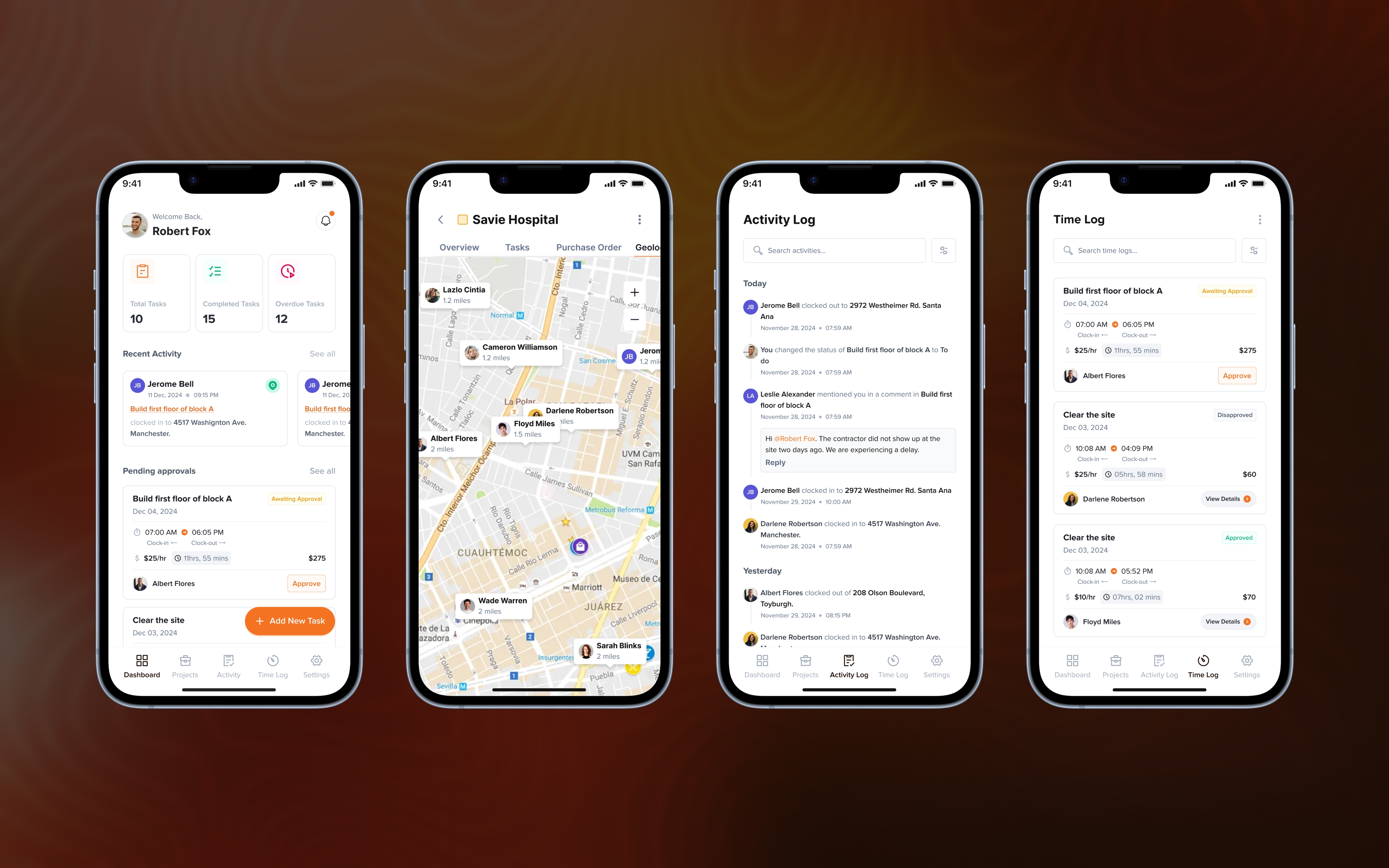
For the worker, Convil turns the wider project into one clear job at a time.
Workers receive tasks that have been created and assigned to them. They can review what the work involves, accept the task and clock in when they are ready to begin.
While the wider project may contain schedules, costs, compliance records and other operational information, the worker only needs the information required to complete the job in front of them.
Once the work is finished, they clock out and their time is logged against the work they completed. That time record then becomes part of the operational information used by the wider team and supports the worker’s payment.
The worker journey becomes: receive the task, accept it, clock in, do the work, clock out, log the time and get paid.
The worker experience reduces the wider project into one clear journey: receive the task, accept it, clock in, complete the work, clock out, log the time, and move toward payment without needing to manage the complexity behind the project.
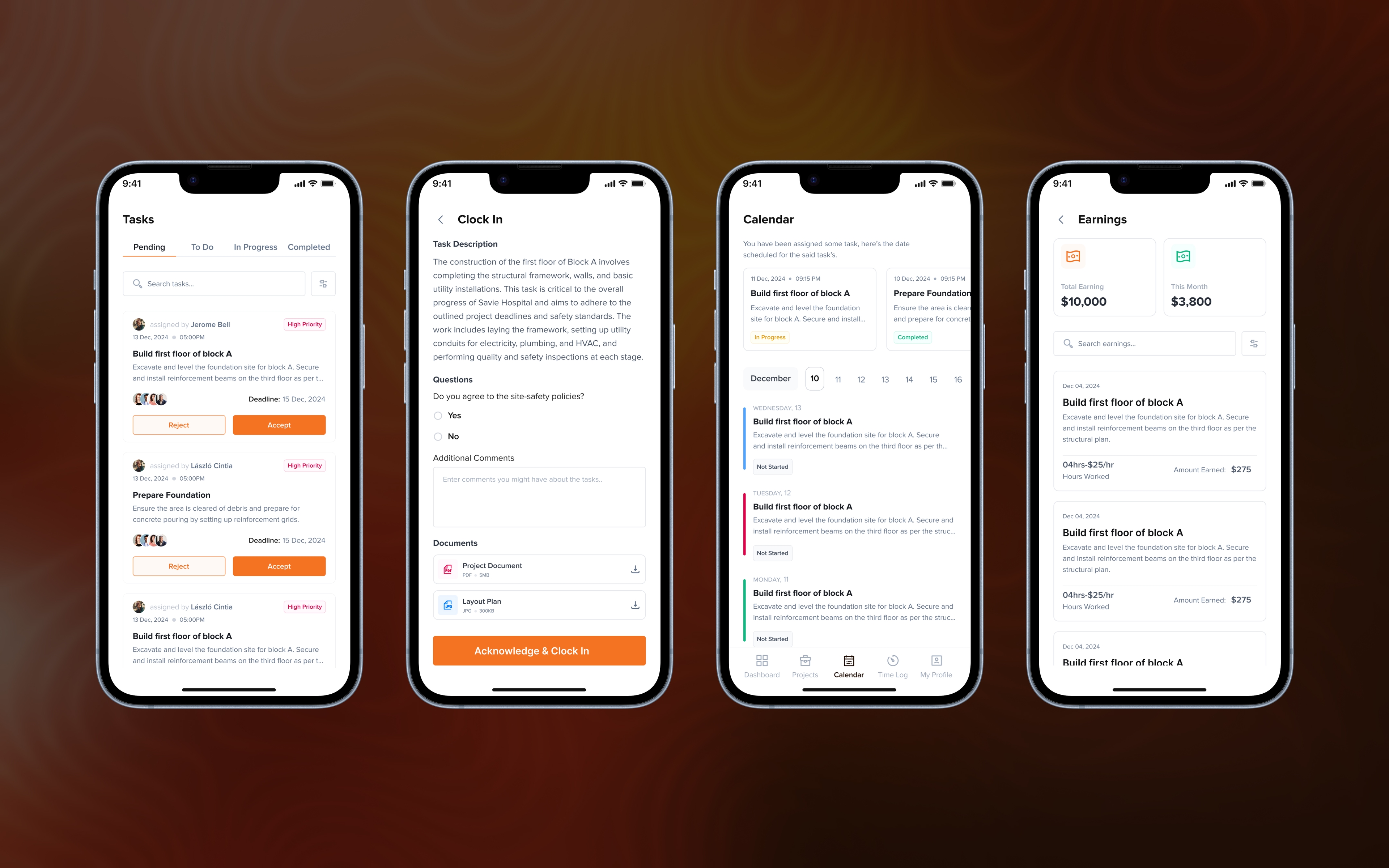
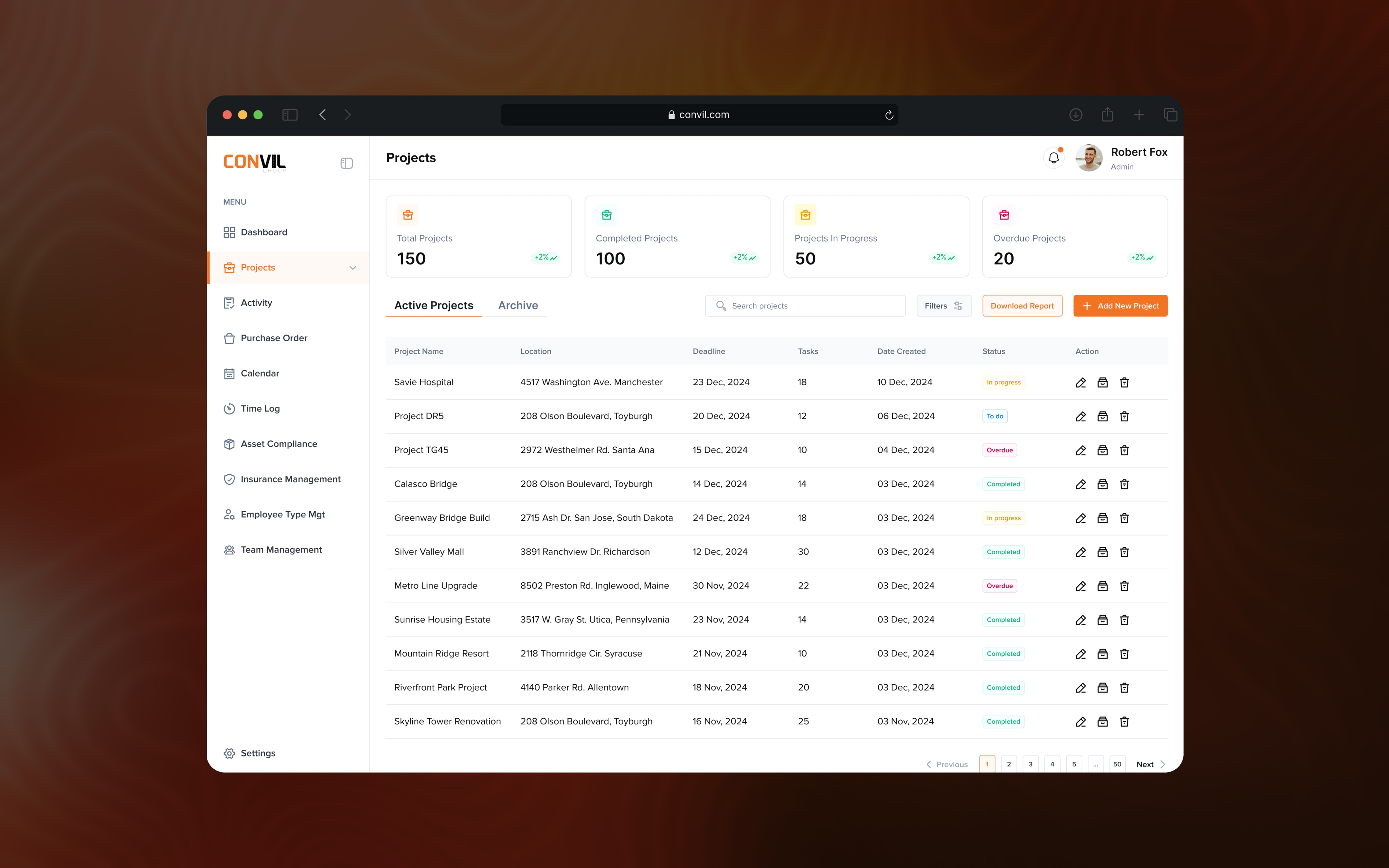
The web experience gives office teams the wider view needed to keep a project organised.
While the mobile experiences narrow Convil to the decisions needed on site, the web product supports the planning and administrative work that needs more context.
The project acts as the organising layer for that experience. From one place, office teams can understand the project itself and move into the different information needed to manage it without losing the relationship between those records.
That includes the project details and setup that establish the wider context of the work, as well as task management for creating, reviewing and following the work connected to that project.
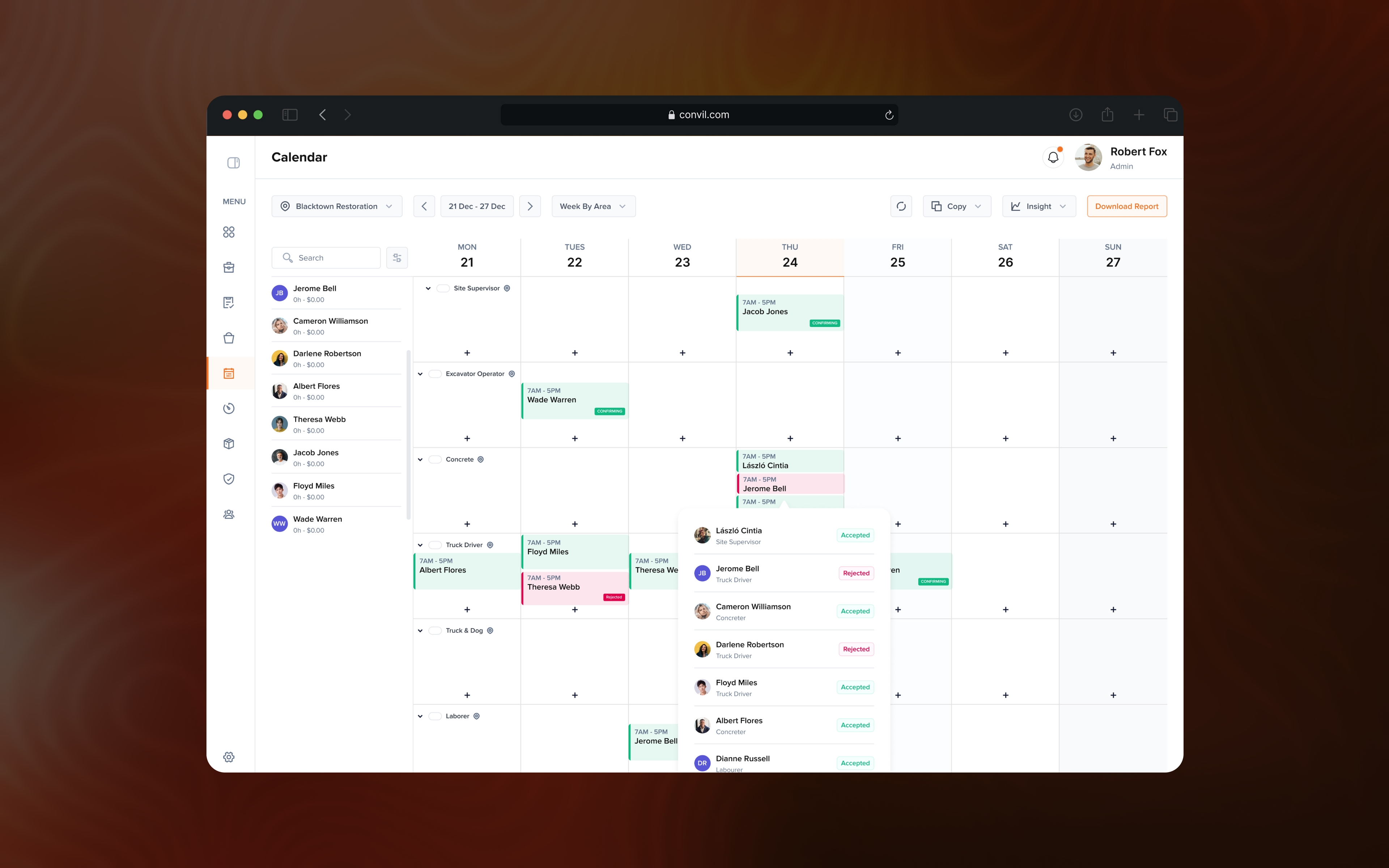
The calendar adds a time-based view of what is happening, helping teams understand activities and scheduled work without treating dates as disconnected information.
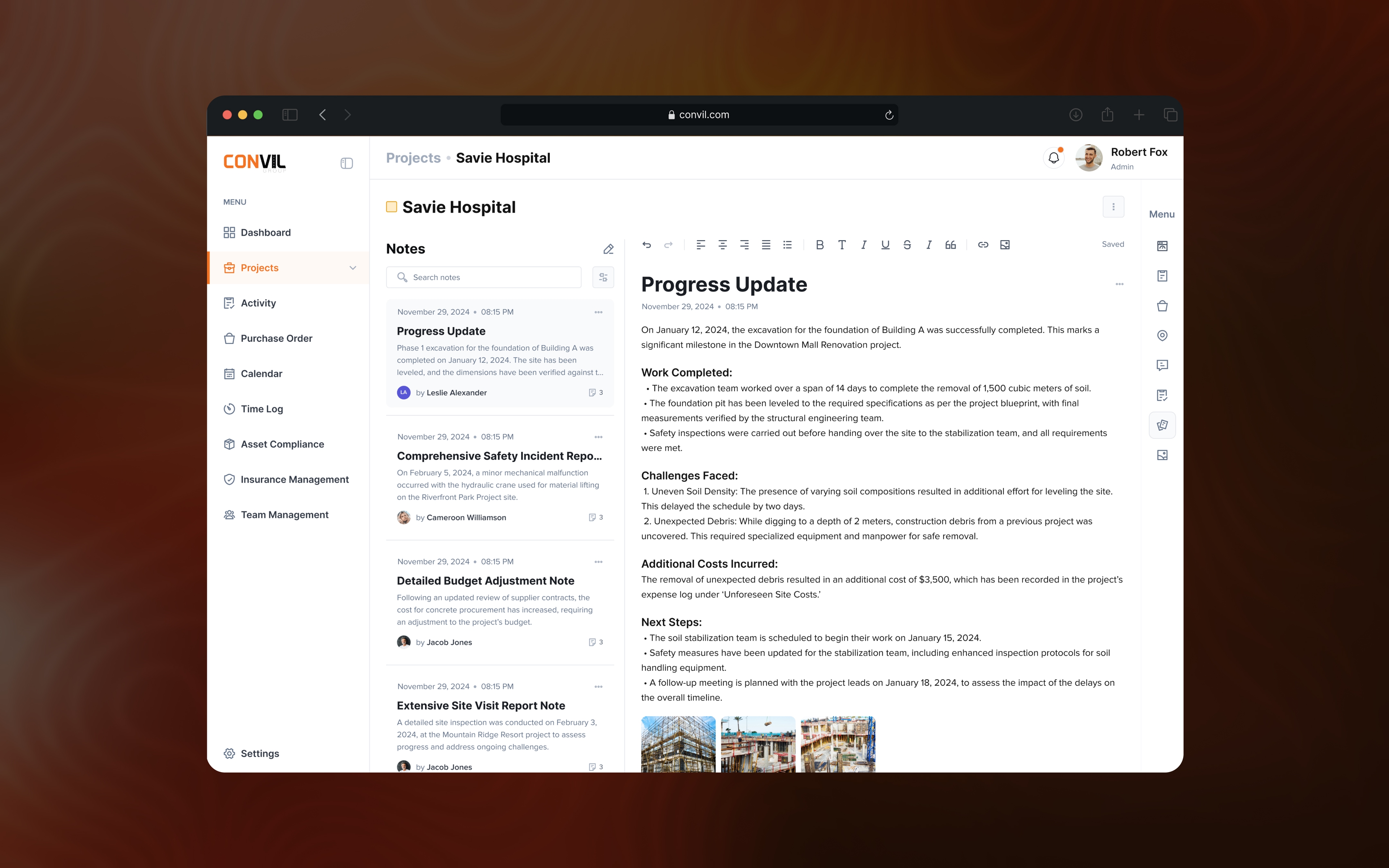
Not every useful project update fits neatly into a task or calendar event either. Notes give teams somewhere to preserve observations, decisions and other context that may become important later, while keeping that information attached to the project it belongs to.
Those notes can sit alongside the supporting documentation teams collect as work progresses, including PDFs, photographs, attachments and other project files. Keeping that context inside Office Operations means the administrative side of the project has one place to understand both what was planned and what was recorded along the way.
Together, these views make the web product less like a collection of separate admin tools and more like different ways of understanding the same project.
The web experience gives the office one place to understand the project from different angles: the project itself, the work being managed, what is scheduled, and the context captured along the way.
Roles control what people can do, not just where their names appear.
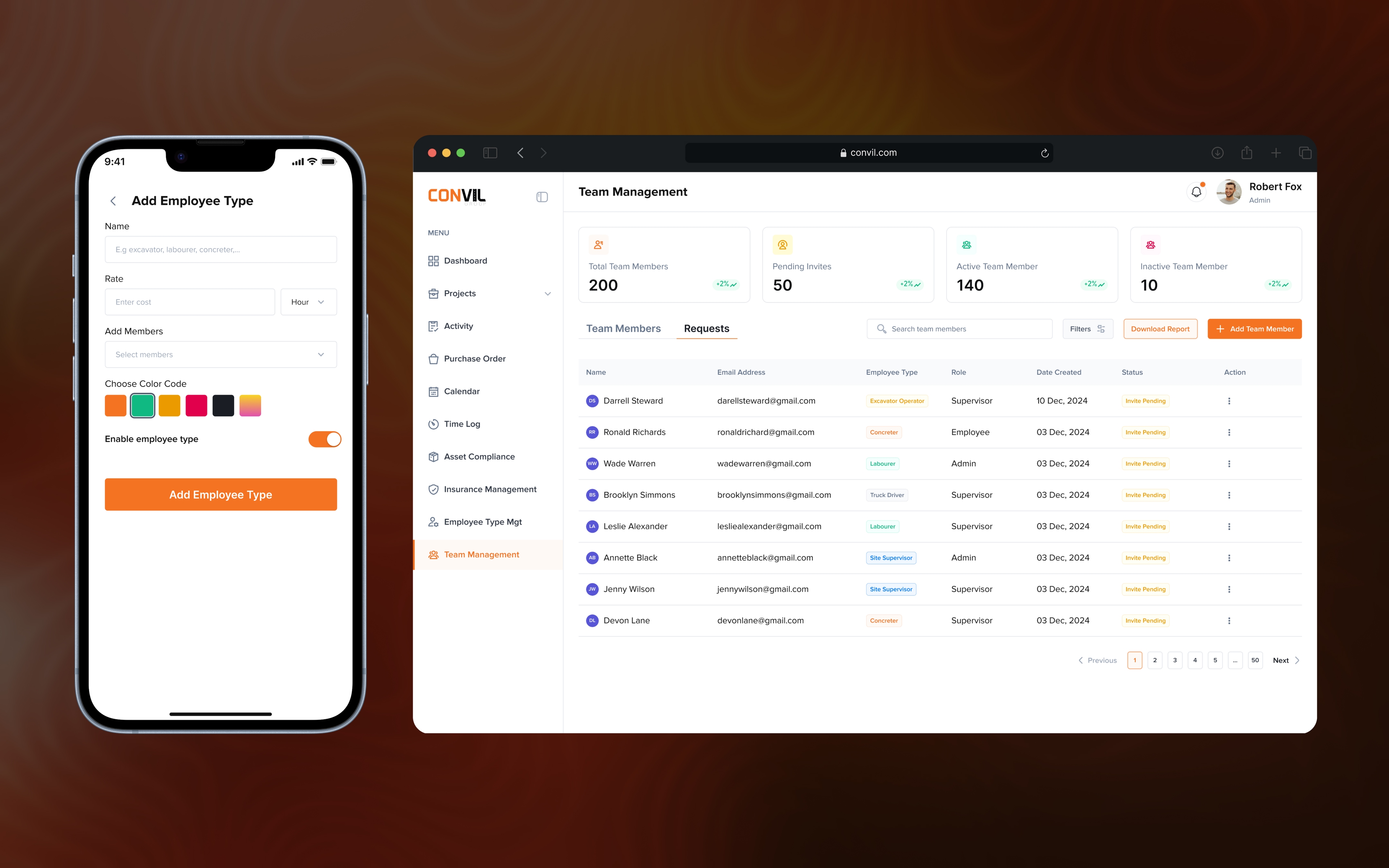
As more people participate in a project, Convil also needs a way to manage who they are and what level of access they should have.
I designed the team-management experience so administrators can add people to the system, create or assign roles and control how those roles relate to responsibilities inside the product.
This is different from workforce planning. Workforce planning answers who the project needs. Team management answers who this person is in the system and what they are allowed to manage.
Separating those ideas keeps organisational access from becoming mixed up with individual project assignments. A person can have a defined role in Convil while still being allocated differently across projects as the work changes.
It also makes the product easier to scale because permissions can follow responsibilities instead of requiring every user to be configured from scratch.
Compliance records needed to lead to action, not disappear into another admin screen.
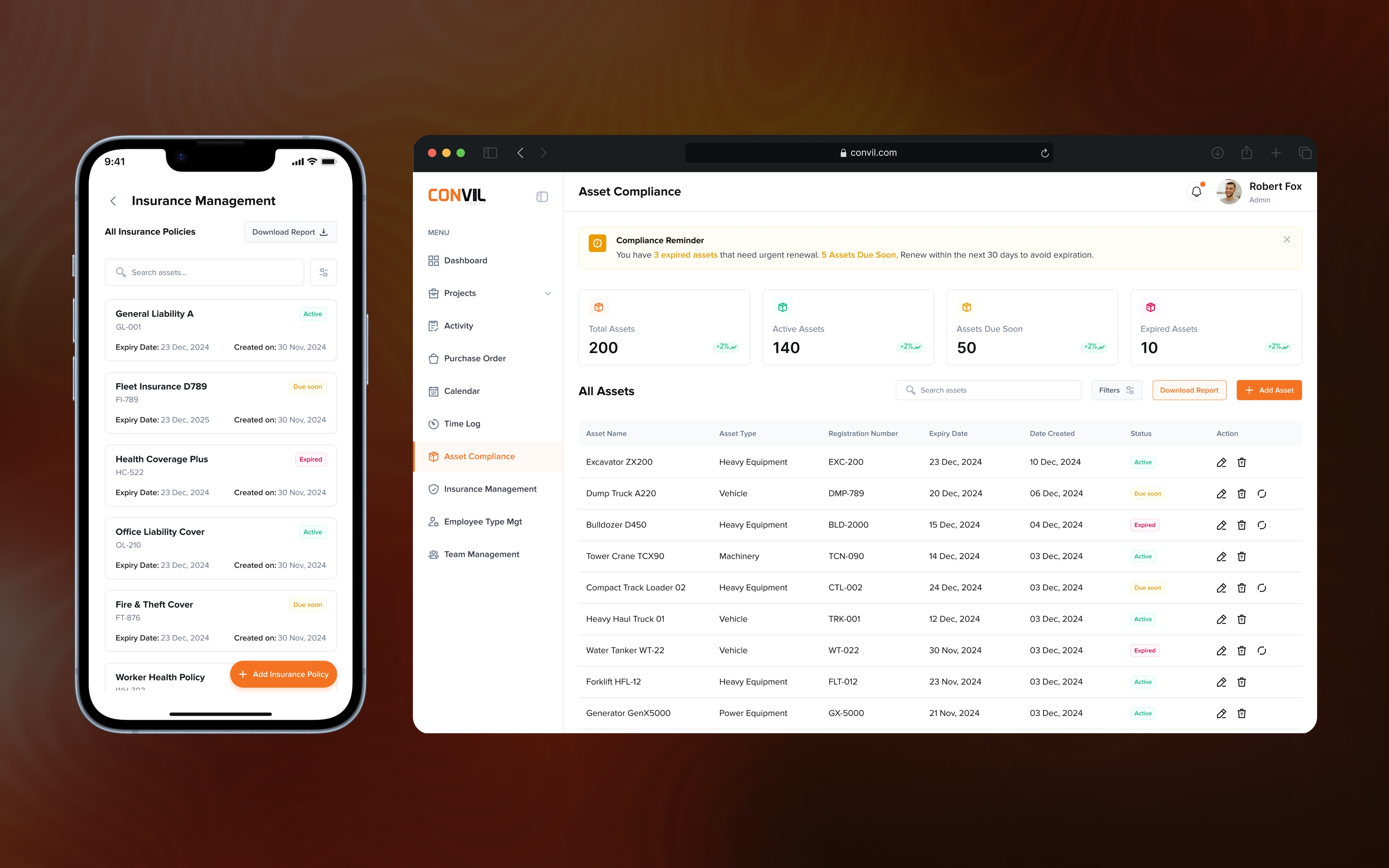
Construction projects depend on equipment and insurance information that may sit quietly in the background until an expiry or missing record becomes urgent.
Equipment registrations, insurance policies, renewal dates and other compliance details therefore need to remain visible enough for teams to act before they become a problem.
Convil keeps those records connected to the relevant project and surfaces what needs attention instead of treating compliance as a passive archive.
The goal was to make it easier to understand whether the project and its assets are operationally ready without asking teams to maintain the same compliance information across disconnected places.
The value of the product came from connecting responsibilities without flattening them.
Convil reinforced that workflow-heavy products become clearer when the product model reflects how the organisation actually works.
Admins, supervisors and workers are connected to the same project, but they do not need the same interface. Web and mobile also serve different contexts, so the product works better when planning lives where there is room for detail and field execution stays focused.
The design challenge was less about making individual screens impressive and more about making the handoff from planning to coordination to execution feel logical.
Because Convil is an internal live product, the story focuses on the workflows and product decisions rather than public usage metrics.
What the design changed.
The design connected office planning with what supervisors and workers need on site.
A live internal product
Convil is currently live, but it is not publicly accessible because it is an internal operational tool.
Different jobs, connected system
Office teams, supervisors and workers receive different interfaces without fragmenting the underlying project record.
Designed around context of use
Planning and administration live comfortably on web while field updates stay practical on mobile.
Operational work became traceable
Tasks, people, compliance and project documentation are structured around shared project context.
Reusable interaction patterns
Status, allocation and record patterns reduce one-off behaviour as the product expands.